Garmin Connect IQ

PrayTime

A watch app that displays Islamic prayer times on your Garmin device — with a live prayer clock, Qibla compass, customisable calculation methods, and optional Azan notifications.

  • 5 daily prayer times
  • Qibla direction
  • Azan notifications
  • Watch face complications

Available in: English, Deutsch, Français, Bahasa Indonesia, Polski, Русский, Türkçe

PrayTime on a Garmin watch

Overview

PrayTime is a Garmin watch app that calculates and displays the five Islamic daily prayers (Fajr, Dhuhr, Asr, Maghrib, and Isha) for your current location. The app uses your device's GPS to determine your coordinates and applies astronomical formulas to compute accurate prayer times.

Prayer Clock

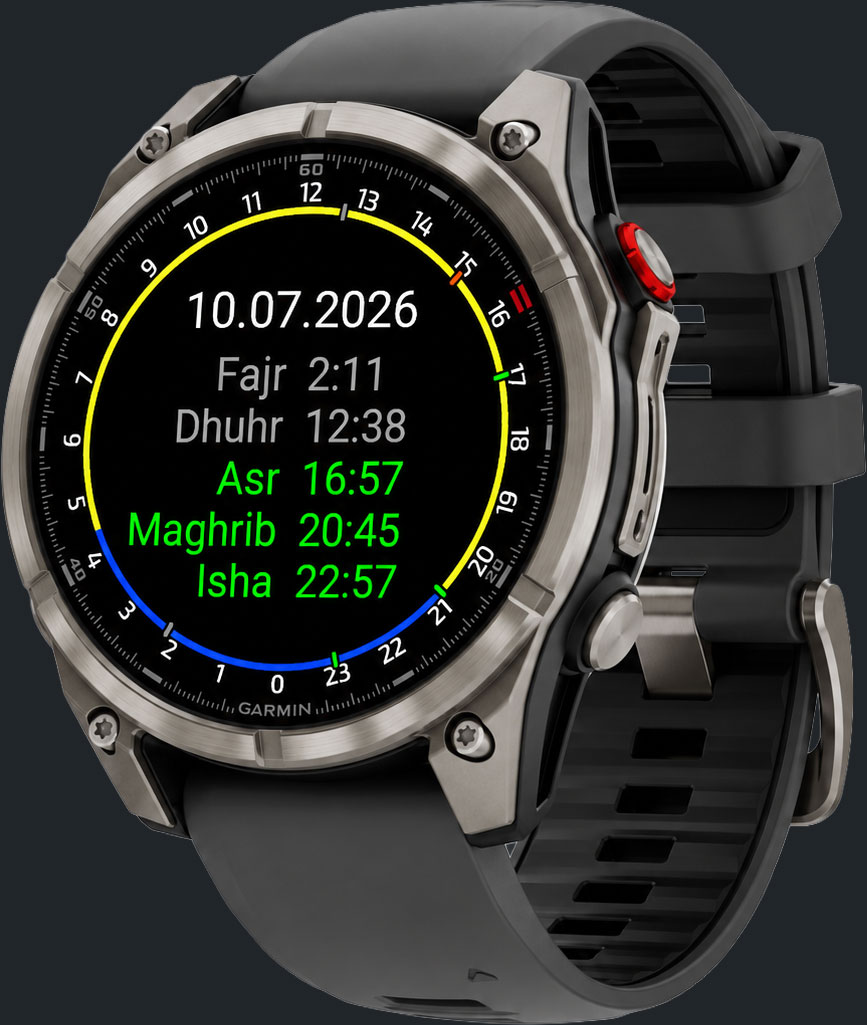
A circular dial displays all five prayers and the day/night arc at a glance.

Qibla Compass

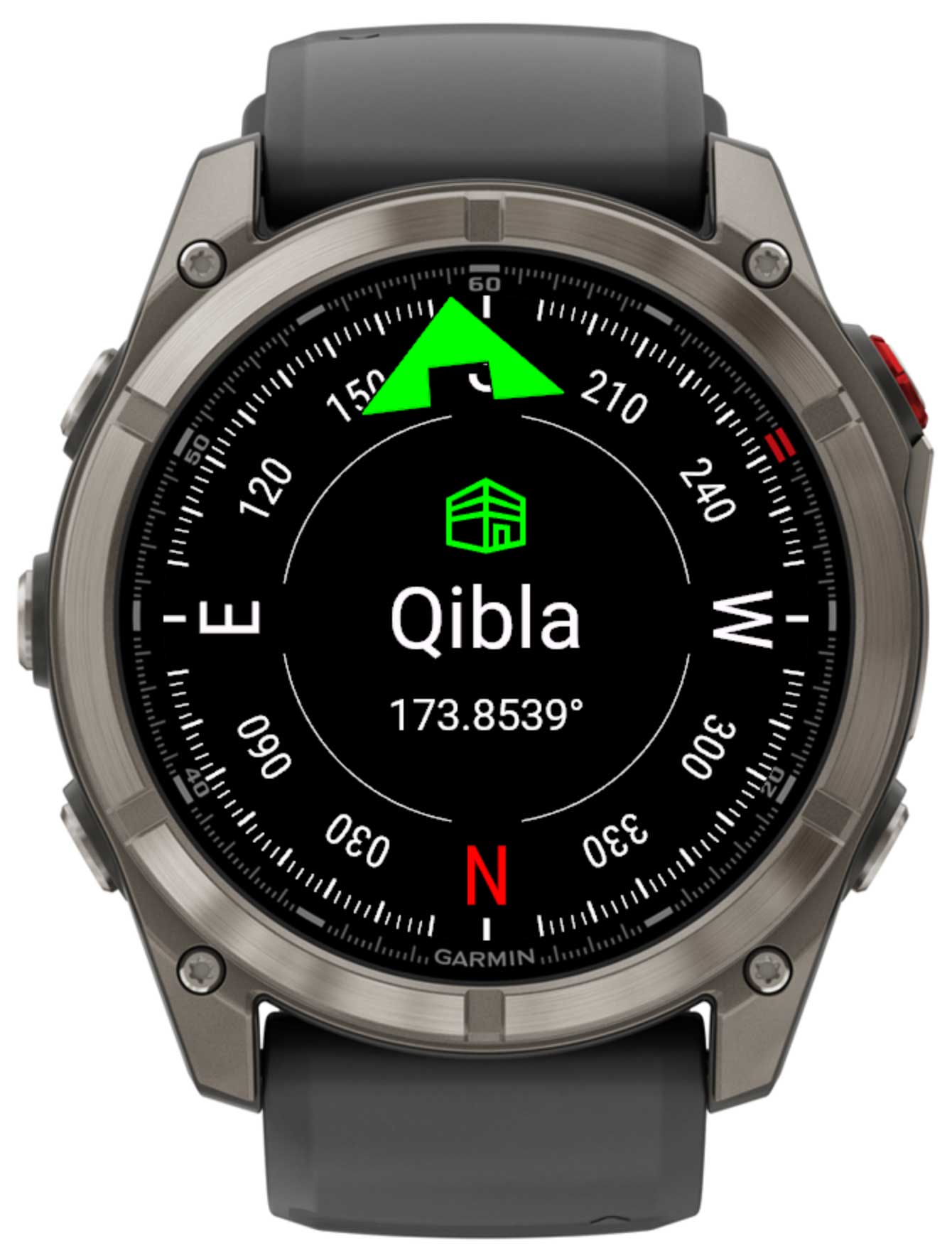
Live magnetometer compass with a green arrow pointing towards Mecca.

Day Browse

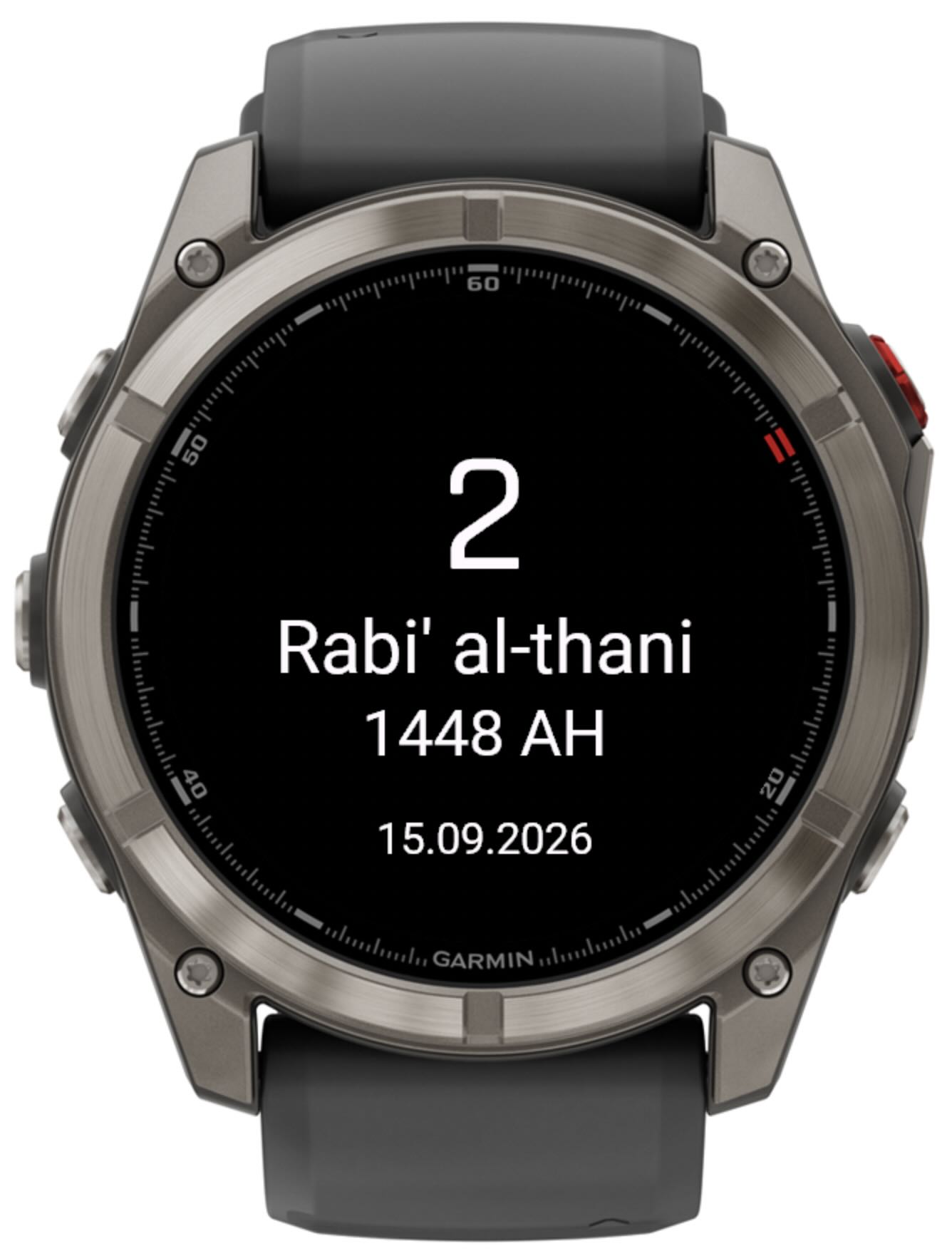
Swipe or press Up/Down to browse prayer times for any past or future date.

Azan Alerts

Background notifications remind you at or before each prayer time.

Complications

Add prayer times directly to your watch face as a data field.

Glance View

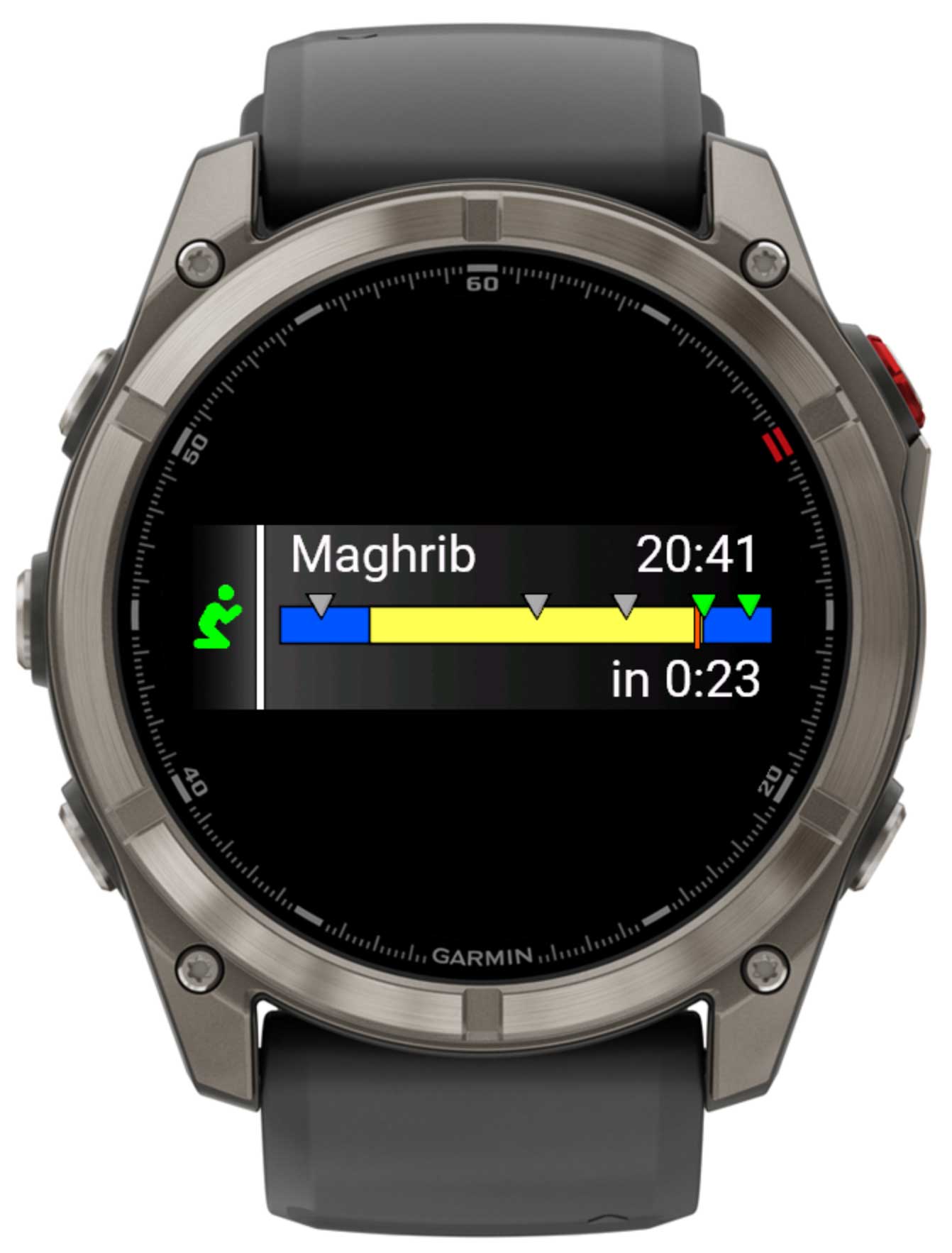
A compact timeline widget visible without fully opening the app.

Main Screen

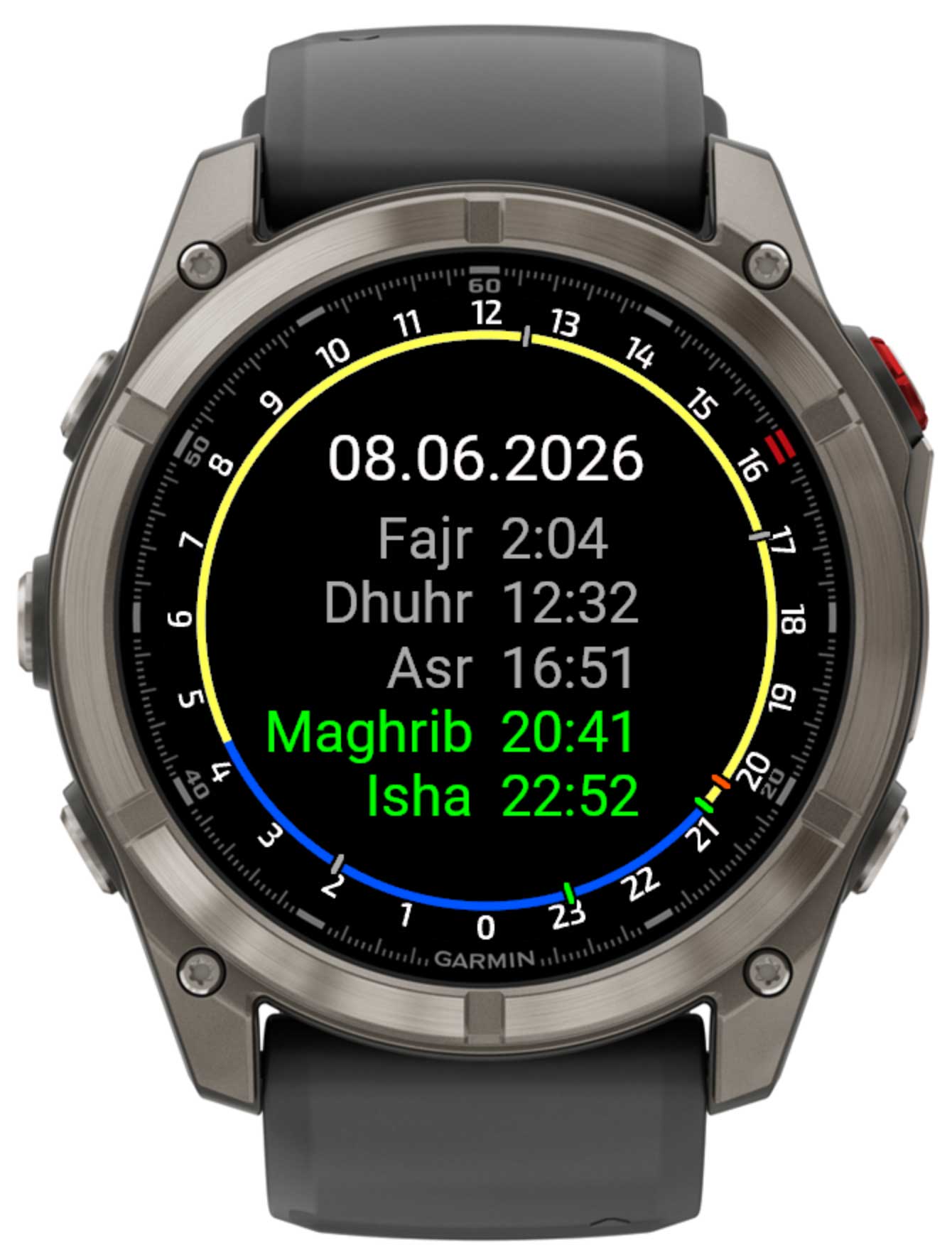
Main prayer clock screen

The main screen shows a circular 24-hour clock face. Each element has a specific meaning:

  • Dial A circle with 24 hour markers (0–23) arranged around the edge. 12 is at the top.
  • Yellow arc The daytime arc from sunrise to sunset.
  • Orange tick The current time indicator on the dial.
  • Green tick A prayer time that has not yet passed today.
  • Grey tick A prayer time that has already passed.

Below the dial, the five prayer names and their times are listed in order: Fajr, Dhuhr, Asr, Maghrib, and Isha. The current date is shown in the upper part of the screen.

Prayer times
Prayer Description Default calculation
Fajr Dawn — begins at astronomical twilight before sunrise. Solar depression angle (default 18°)
Dhuhr Midday — when the sun crosses the local meridian. Solar noon
Asr Afternoon — when shadow length equals object height (Standard method). Shadow factor method (Shafi'i)
Maghrib Sunset — just after the sun sets below the horizon. Minutes after sunset (default: 0 min)
Isha Night prayer — when darkness is complete. Solar depression angle (default 17°)

Day Navigation

You can browse prayer times for any date — past or future — without leaving the main screen.

Next day

Press the Up button, tap the upper half of the touch screen, or swipe up.

Previous day

Press the Down button, tap the lower half of the touch screen, or swipe down.

GPS Location

Accurate prayer times depend entirely on your geographic coordinates. The app offers two ways to set your location:

Automatic (recommended)

Enable Get system location in settings. The app reads your GPS fix automatically each time it runs. Your coordinates are saved so the app works even without a fresh GPS signal.

Manual

Disable auto-location and enter your Latitude and Longitude manually in the Garmin Connect IQ app settings. Useful if your device has no GPS or you want a fixed home location.

GPS acquisition screen
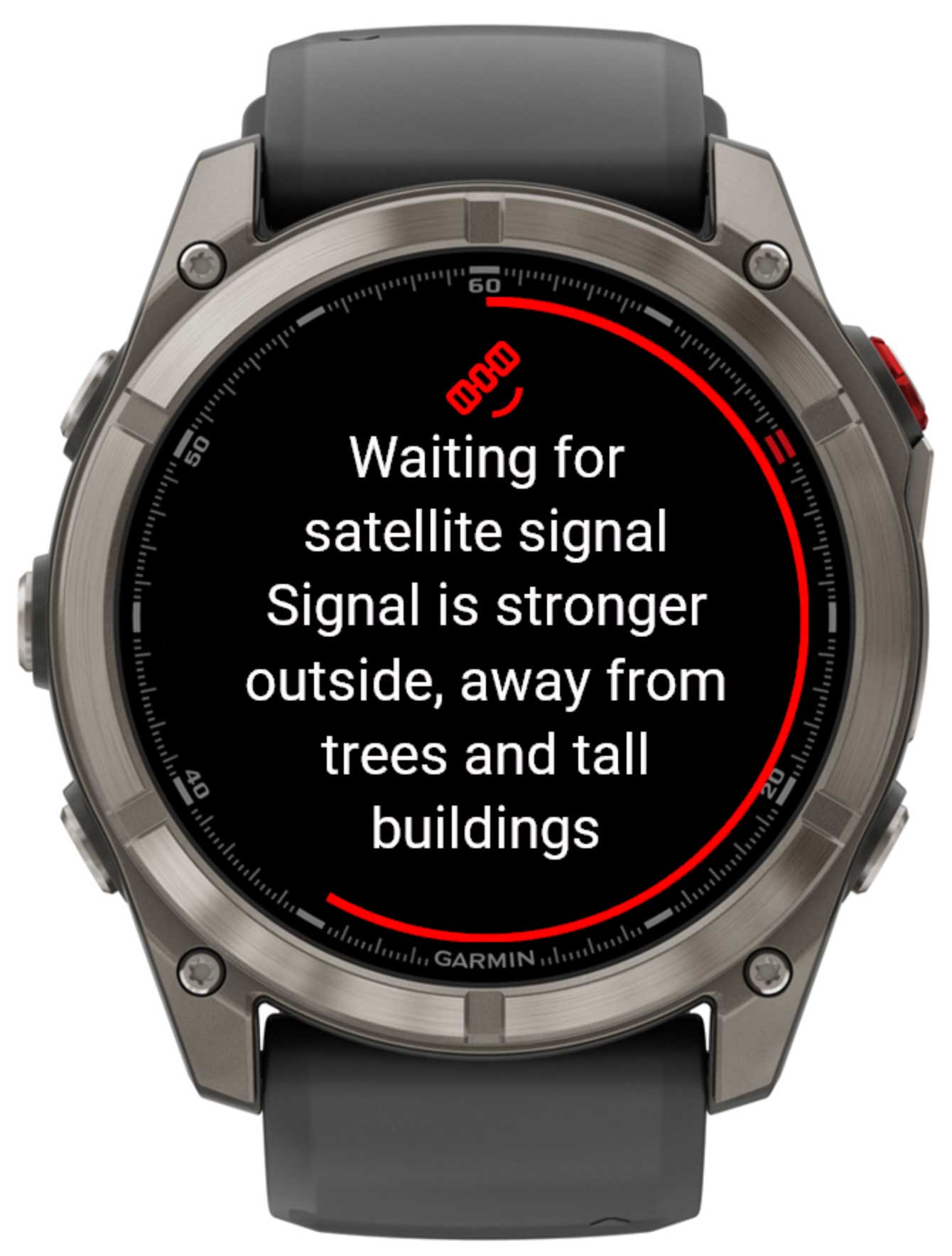
GPS waiting for satellite signal

When you open the GPS screen the device begins searching for a satellite signal. A red arc animates around the dial to show that a fix is in progress.

Once a valid position is found, a confirmation dialog shows the detected coordinates. Confirm to save them — or press Back to cancel and keep the previous location.

Qibla Compass

Qibla compass screen

The Qibla compass uses your device's built-in magnetometer to show a live compass. Hold the watch flat and level for the most accurate reading.

  • N North is highlighted in red. Cardinal directions (N, S, E, W) are printed on the ring.
  • Degree marks Tick marks every 2° and labels every 30° help you read the bearing precisely.
  • Green arrow Points toward Mecca (Qibla). Face the direction of the arrow to face the Qibla.
  • Bearing The exact Qibla bearing in degrees (e.g. 245.3124°) is shown below the compass label.

The Qibla bearing is calculated using the great-circle formula from your saved coordinates to the Kaaba in Mecca (21.4225° N, 39.8262° E).

Glance View

Supported devices show a compact Glance (widget preview) that you can access from the widget loop without opening the full app.

Glance view with prayer timeline
  • Blue bar Night-time hours (dark), visible where the yellow daylight segment doesn't cover.
  • Yellow segment Daylight hours (sunrise → sunset).
  • Orange tick Current time position.
  • Green triangle Upcoming prayer time.
  • Grey triangle Prayer time that has already passed today.

The top-left corner shows the name of the next prayer; the top-right shows its exact time; the bottom-right shows the countdown (e.g. in 1:24).

Watch Face Complications

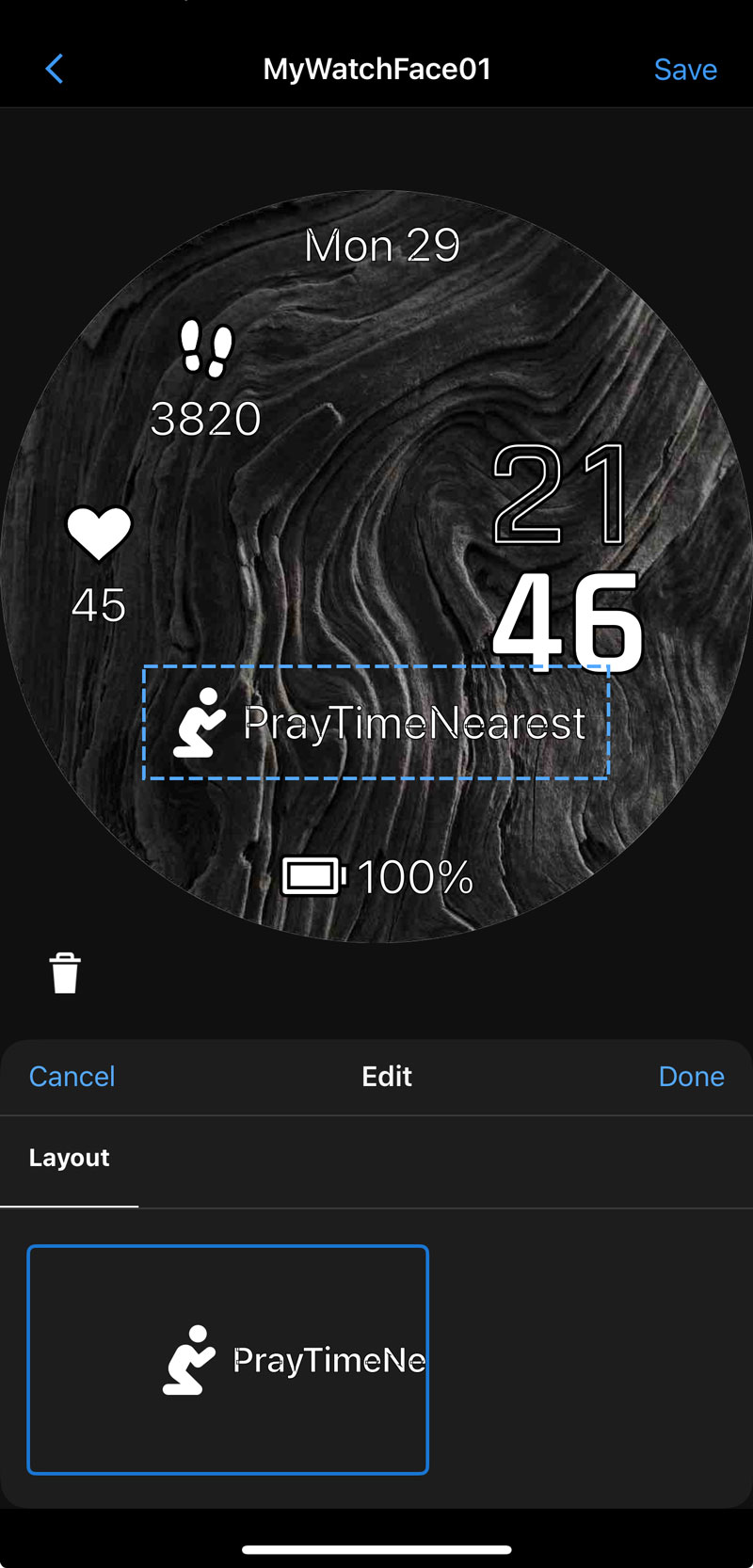
If your watch face supports complications (data fields), you can add PrayTime data directly to the face. Two data sources are available:

PrayTime complications on watch face
PrayTimeList

Displays all five prayer times (Fajr, Dhuhr, Asr, Maghrib, Isha) for the current day as a scrollable list complication.

PrayTimeNearest

Shows the name and time of the next upcoming prayer. Updates automatically as each prayer passes.

Azan Notifications

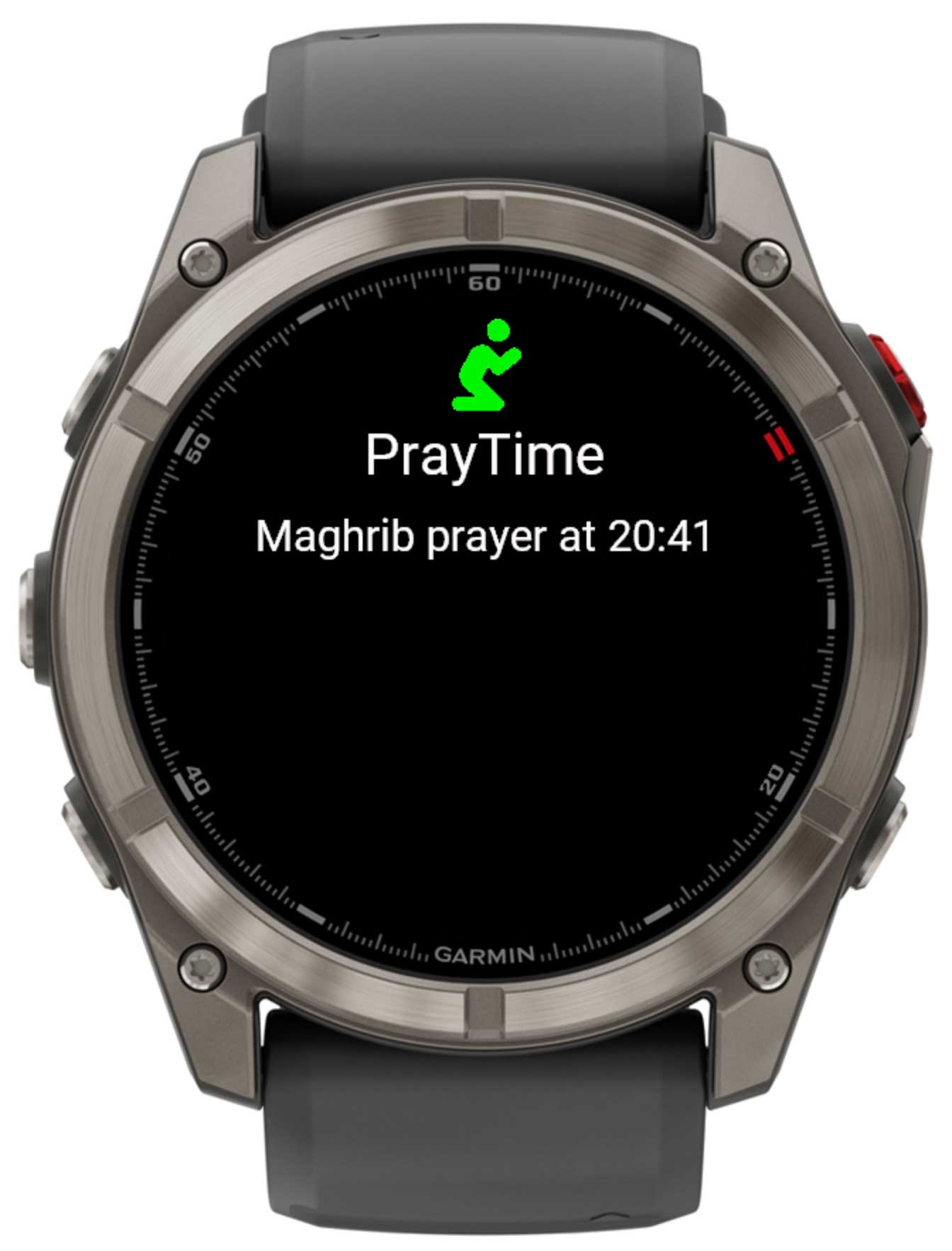
The app runs a background service that can send a notification to your wrist at or before each prayer time. No phone is needed — the notification appears directly on the watch.

Azan notification on watch

The notification shows:

  • Title: "Azan!"
  • Body: prayer name and its exact time — e.g. "Fajr prayer at 5:14"
  • Action button: Open — launches PrayTime directly from the notification.
Notification timing options

Controlled by the Notify for Azan setting in Garmin Connect IQ:

  • Off — no notifications.
  • At event time — exactly at the prayer time.
  • 1–10 mins before — advance warning so you can prepare.

Settings

All settings are managed through the Garmin Connect IQ mobile app or Garmin Express on desktop. Open the app list, find PrayTime, and tap Settings.

Location

SettingValuesDescription
📍 Get system location On / Off When On, the app automatically reads your GPS coordinates each time it updates. Disable this to use a fixed manual location instead.
📍 Latitude −90 … 90 Your geographic latitude in decimal degrees. Positive = North, negative = South. Only used when auto-location is disabled.
📍 Longitude −180 … 180 Your geographic longitude in decimal degrees. Positive = East, negative = West. Only used when auto-location is disabled.

Display

SettingOptionsDescription
📅 Date format DD.MM.YYYY, DD-MM-YYYY, DD/MM/YYYY,
MM.DD.YYYY, MM-DD-YYYY, MM/DD/YYYY
Controls how the date is displayed at the top of the main screen.
📅 Date language System language Language used for any localised date labels on screen.

Prayer Calculation

These parameters let you match the calculation method used by the Islamic authority or school recognised in your country.

SettingDefaultDescription
Fajr angle 18° The angle below the horizon at which Fajr begins. Common values: 15° (ISNA), 18° (MWL / Egypt), 19.5° (Karachi).
Maghrib selector Minutes after sunset Angle — Maghrib starts when the sun is X° below the horizon.
Minutes after sunset — Maghrib starts X minutes after the sun sets.
Maghrib parameter value 0 The angle (degrees) or number of minutes used with the Maghrib selector above. A value of 0 means Maghrib is at sunset.
Isha selector Angle Angle — Isha starts when the sun is X° below the horizon.
Minutes after Maghrib — Isha starts X minutes after Maghrib.
Isha parameter value 17° The angle (degrees) or number of minutes used with the Isha selector above. Common values: 15° (ISNA), 17° (MWL), 18° (Egypt).
High latitude adjustment Angle-based At high latitudes (above ~48°) the sun may never drop far enough below the horizon for a "natural" Fajr or Isha angle, leading to very long or undefined night periods. Three adjustment methods are available:
  • Angle-based — adjusts the night portion proportionally to the twilight angle.
  • Midnight — divides the night equally at midnight between sunset and sunrise.
  • One-seventh — assigns 1/7 of the night to Fajr and 1/7 to Isha.

Notifications

SettingOptionsDescription
Notify for Azan Off, At event time,
1 – 10 min before
How long before (or exactly at) each prayer time the device should send a notification. Set to Off to disable all Azan alerts.

About & Unlock Code

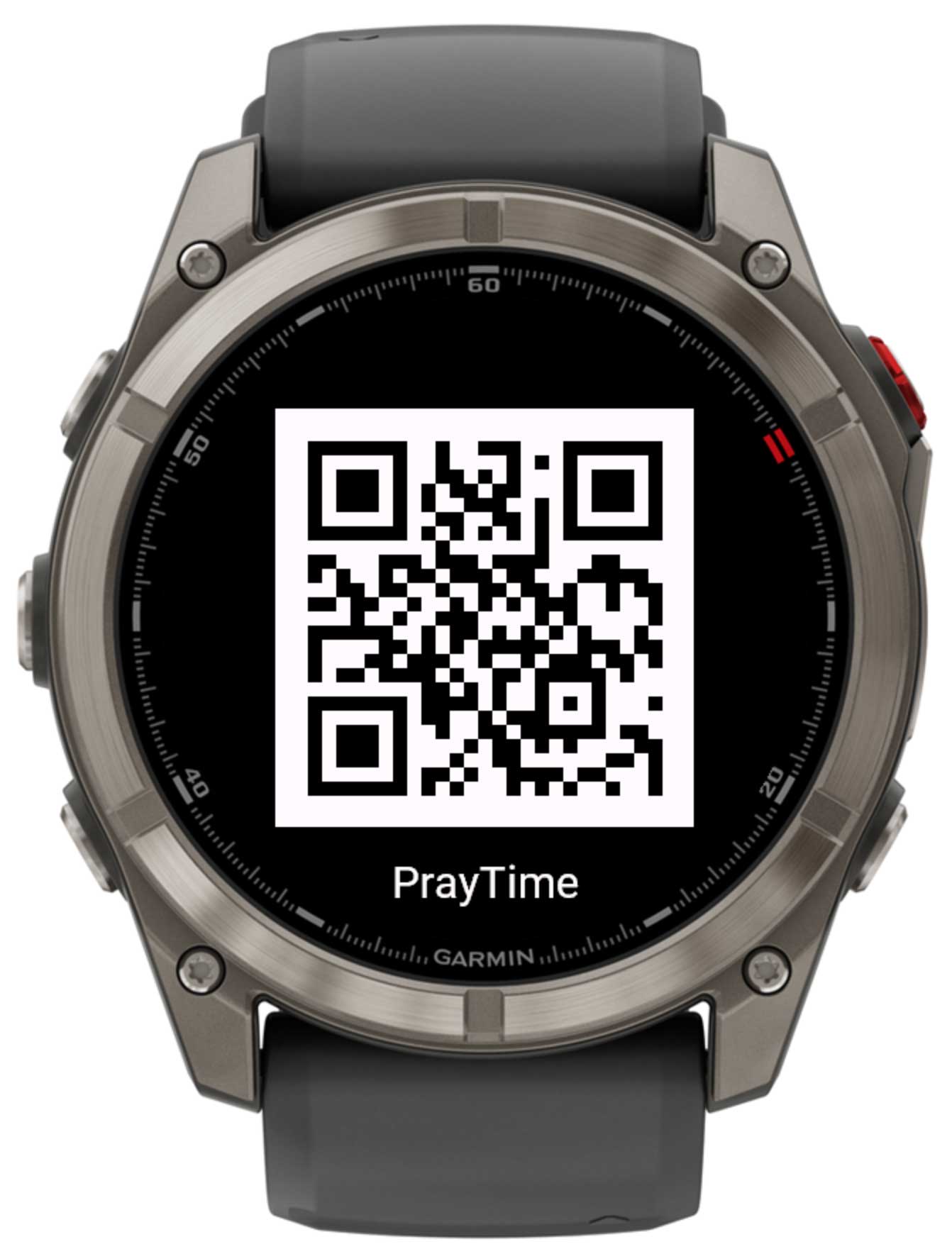
QR code screen
QR Code screen

Accessible from the main menu under About. Scan the QR code with your phone to open the app's page where you can find support information and purchase an unlock code.

Unlock code

PrayTime uses an unlock code to verify your purchase. To enter or view your code:

  1. Open Garmin Connect IQ on your phone.
  2. Navigate to My device → Apps → PrayTime → Settings.
  3. Enter your code in the 🔑 Unlock code field.
  4. The Verification status field will update automatically when the watch is connected to the internet.

You can also manage settings via Garmin Express on your desktop computer.