Overview
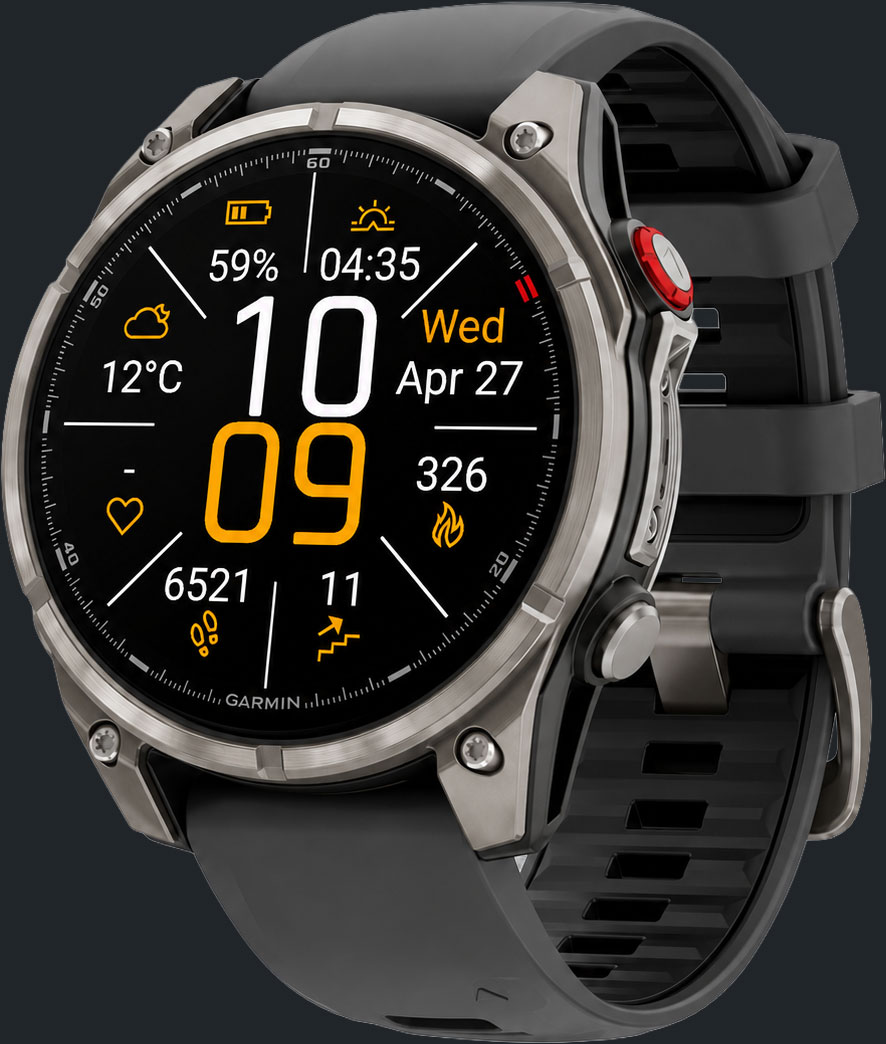
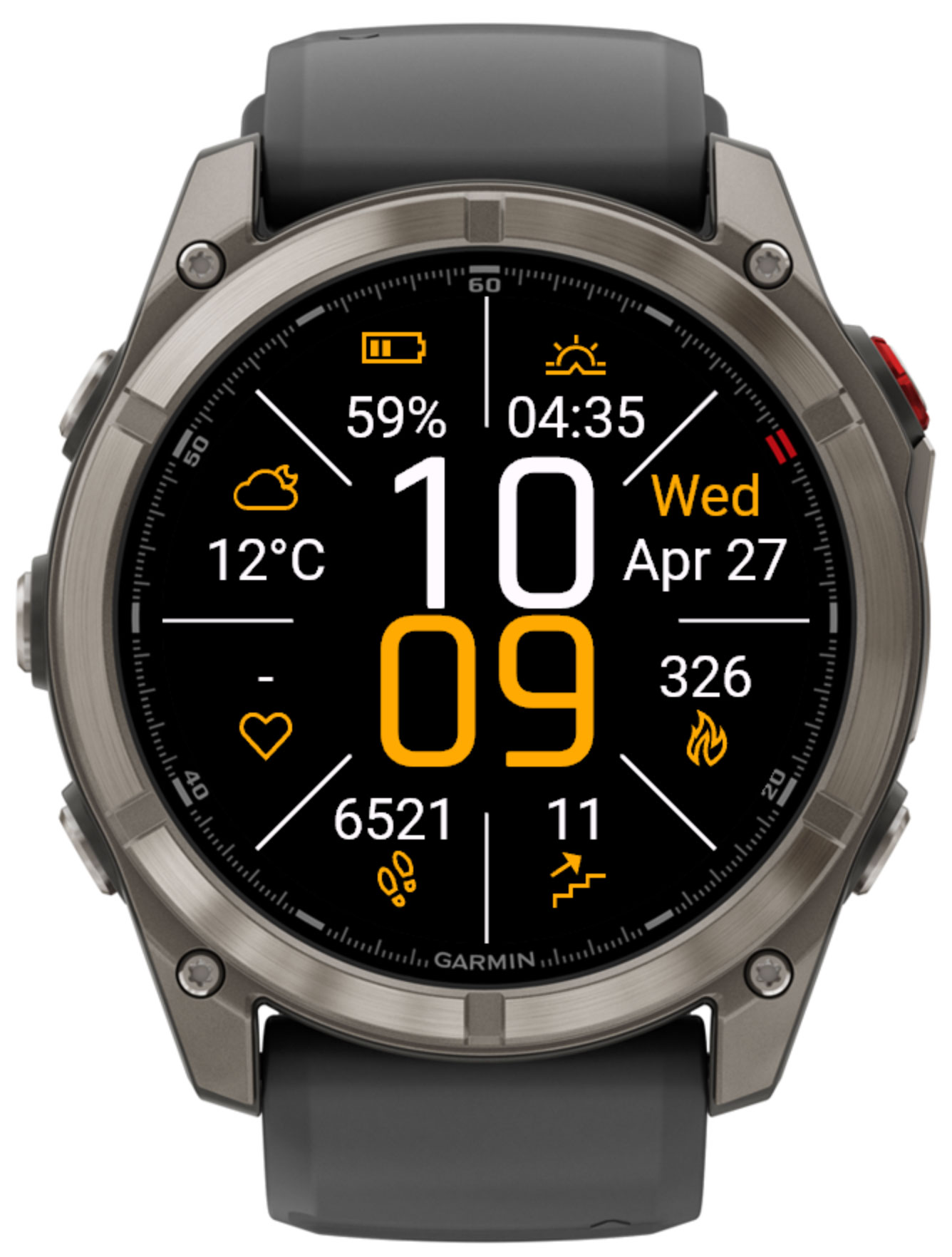
Quatro is a data-first watch face for Garmin Connect IQ devices. A large two-line clock sits at the center, surrounded by eight text fields separated by 8 radiating dividers — each can be assigned to any of 89 available data points, from steps and heart rate to weather, moon phase and prayer times, so the face always shows exactly what matters to you.
8 Custom Data Fields
Fill all 8 fields, separated by 8 radiating dividers, from 89 data points — activity, health, weather, sun, moon, prayer times and more.
Tap-to-Launch Widgets
Long-press the hour or minute digits — or tap any field — to jump straight to the matching native Garmin widget.
Day & Night Themes
Two independent color themes that switch automatically at sunrise/sunset (or times you set), each with its own background, primary and values colors.
Multi-provider Weather
Choose Garmin's built-in weather, OpenWeatherMap, QWeather or MET Weather, with automatic background refresh.
Prayer Times
Full Islamic prayer time calculation — Fajr, Maghrib and Isha methods, high-latitude night-portion adjustment — for the two prayer-time fields.
Third-Party Data
Subscribe to NightScout to show blood glucose readings on the face.
Device tiers
Quatro automatically ships the right build for your watch: a standard layout for most round devices, an AMOLED-optimised layout with always-on display support for bright-display watches, a semi-octagon layout matched to the Instinct 2 line, a square/rectangular layout for the Venu Sq family, and a trimmed layout for older, memory-constrained devices.
Layout & Themes
The time sits at the center of the face, hour above minute. Eight straight dividers radiate out from the center, separating eight text fields — two per side (top, right, bottom, left) — each set independently in Settings. Every element can be reassigned in meaning (not position) by simply picking a different data source for that field.
-
8 text fields
Top-left, top-right, right-top, right-bottom, bottom-right, bottom-left, left-bottom and left-top — any single-value data point.
-
Radial indicators
The Move bar and AQI fields additionally draw a small radial dial around their icon to show level at a glance.
Day & night themes
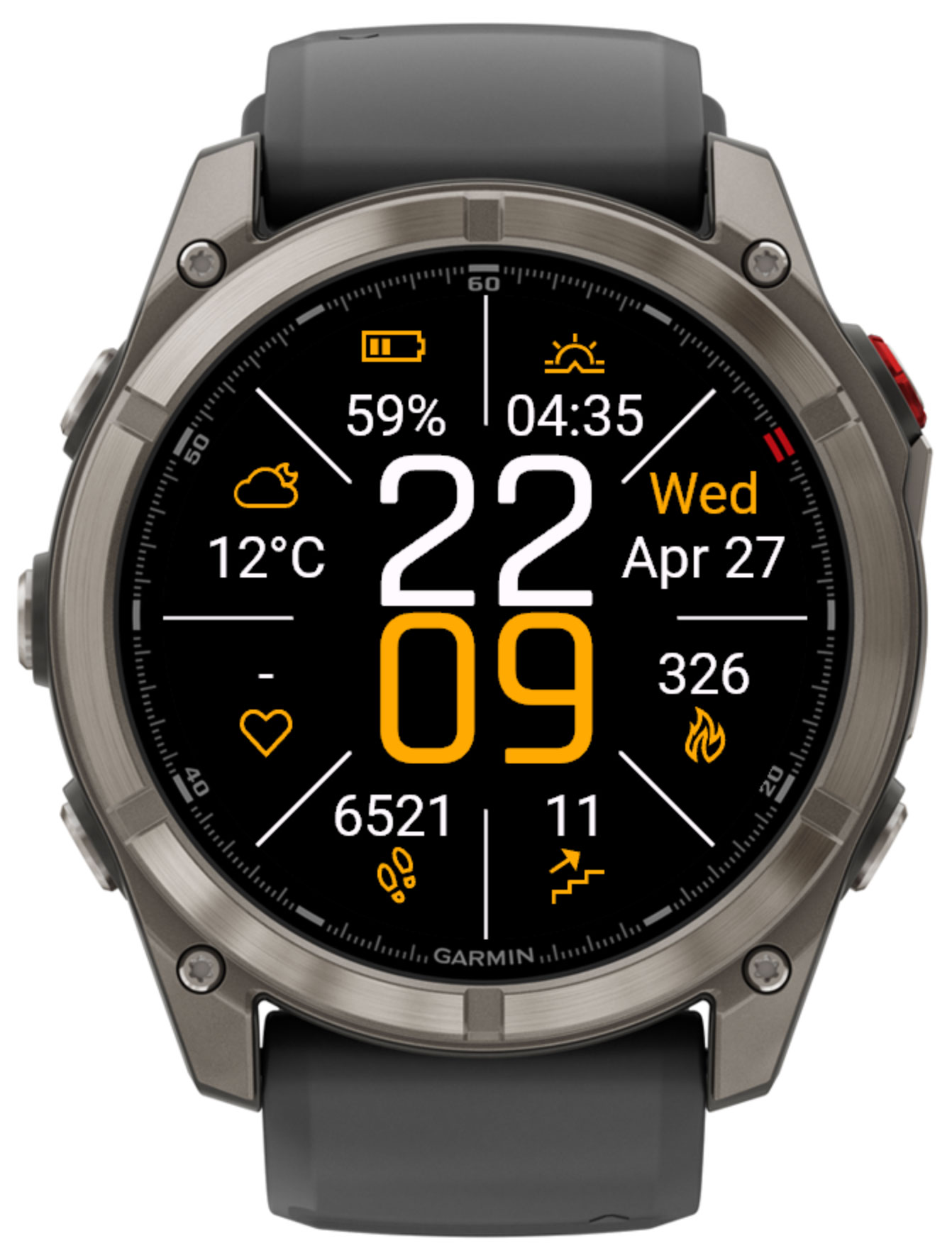
Quatro automatically switches between two independent color themes at sunrise and sunset (using your saved GPS location), or at custom times you define per theme. Each theme has its own set of colors:
| Color |
Description |
| Dark background | Toggles the face background between black and white for this theme. |
| Primary color | Accent color used for the minute digits and field icons. |
| Values color | Color used for the hour digits and the text of data field values. |
| Lines color | Color of the 8 dividers separating the fields. |
Each theme also has its own hour and minute font (System, Light, Regular, Medium, Bold, Outline or Exo).
Always-On Display
Always-on / low-power handling depends on your display technology:
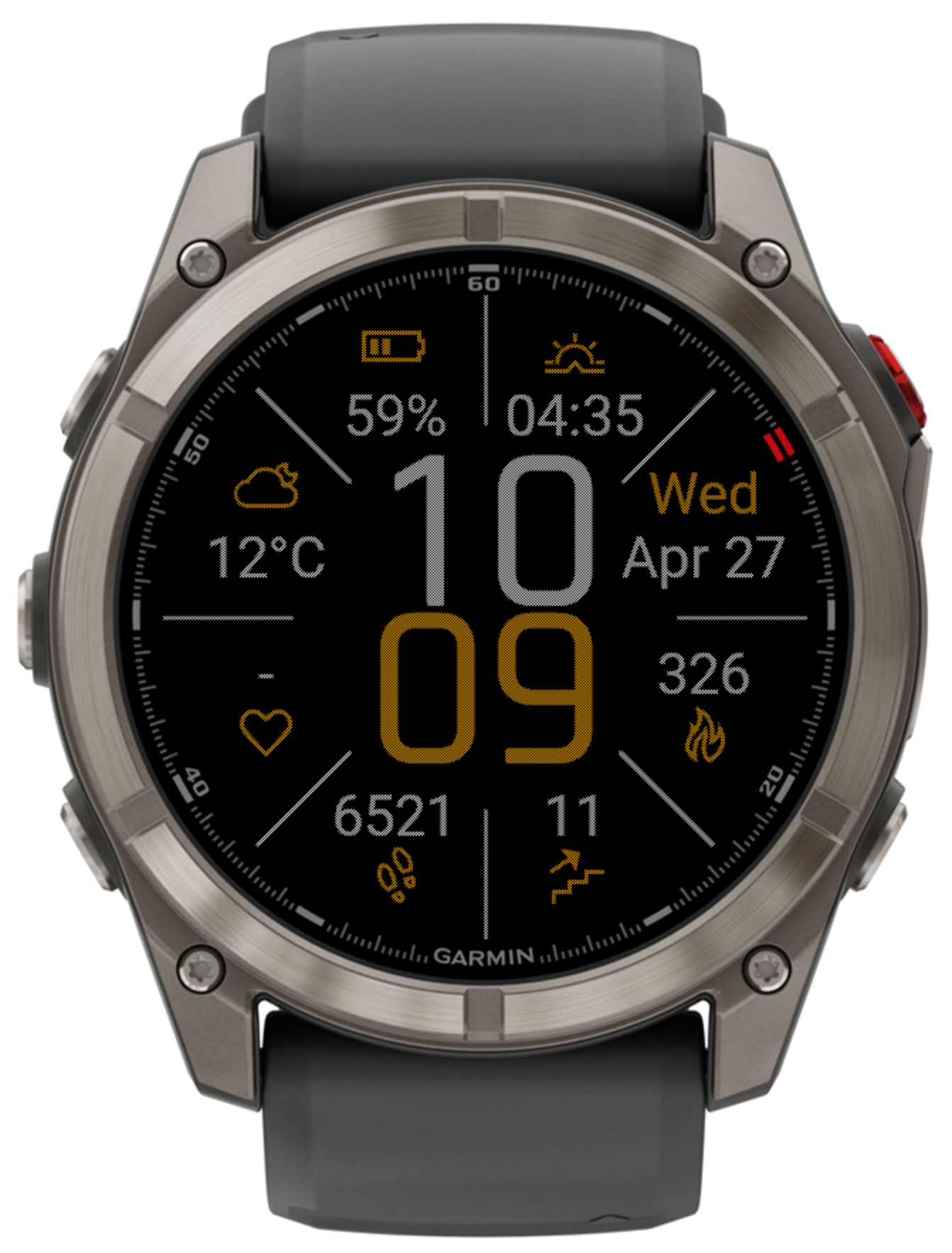
- On transflective (MIP) devices — the standard, low-memory and Instinct 2 (semi-octagon) builds — the face stays fully visible in low-power mode, and the seconds field, if assigned, keeps ticking via a partial-update redraw when Always update seconds is enabled.
- On AMOLED devices — the AMOLED and Venu Sq builds — a dithering burn-in-protection mask is drawn instead while in low-power mode, and you choose how much of the face stays visible:
| Option | Behaviour |
|---|
| Empty screen | An empty screen is shown in low-power mode, to save the most battery. |
| Only time | Only the time is shown while the watch is in low-power mode. |
| Show all fields | The full face, with all data fields, remains visible in low-power mode. |
Data Fields
Each of the 8 fields can be set independently, from Garmin Connect IQ app settings, to any of the values below.
Every field below lists its exact device support, taken directly from the app's build configuration. Expand Supported devices under any field to see it. Fields marked "All Quatro devices" are compiled for every supported watch — on hardware that lacks the underlying sensor, they fall back to the n/a placeholder described in Troubleshooting. Fields marked ⭐️ require the unlock code.
Battery in % — The remaining battery life as a percentage.
Supported devices⭐️Battery in days — The estimated remaining battery life in days, if available.
Supported devices⭐️Solar sensor charge — Solar charging contribution, on solar-capable devices.
Supported devicesRequires a newer sensor/API generation (roughly 2019+ models). Not available on: Approach S60, Approach S62, Fenix 5, Fenix 5 Plus, Fenix 5S, Fenix 5S Plus, Fenix 5X, Fenix 5X Plus, Fenix Chronos, Descent Mk1, Forerunner 645, Forerunner 645 Music, Forerunner 935, D2 Charlie, D2 Delta, D2 Delta PX, D2 Delta S, Vívoactive 3, Vívoactive 3 Daily, Vívoactive 3 Music, Vívoactive 3 Music LTE, Vívolife.
⭐️Illuminance — Ambient light level from the solar sensor, if available.
Supported devicesRequires a newer sensor/API generation (roughly 2019+ models). Not available on: Approach S60, Approach S62, Fenix 5, Fenix 5 Plus, Fenix 5S, Fenix 5S Plus, Fenix 5X, Fenix 5X Plus, Fenix Chronos, Descent Mk1, Forerunner 645, Forerunner 645 Music, Forerunner 935, D2 Charlie, D2 Delta, D2 Delta PX, D2 Delta S, Vívoactive 3, Vívoactive 3 Daily, Vívoactive 3 Music, Vívoactive 3 Music LTE, Vívolife.
Steps — Steps since midnight.
Supported devices⭐️Steps goal — Today's step goal.
Supported devices⭐️Steps goal left — Steps remaining to reach today's goal.
Supported devices⭐️This week steps — Steps since the start of the week.
Supported devicesDistance — Distance covered since midnight.
Supported devices⭐️This week distance — Distance covered since the start of the week.
Supported devicesClimbed floors — Floors climbed today.
Supported devicesRequires a barometric altimeter. Not available on: Forerunner 55, Forerunner 245, Forerunner 245 Music.
Descended floors — Floors descended today.
Supported devicesRequires a barometric altimeter. Not available on: Forerunner 55, Forerunner 245, Forerunner 245 Music.
⭐️Floors goal — Today's floors-climbed goal.
Supported devicesRequires a barometric altimeter. Not available on: Forerunner 55, Forerunner 245, Forerunner 245 Music.
⭐️Floors goal left — Floors remaining to reach today's goal.
Supported devicesRequires a barometric altimeter. Not available on: Forerunner 55, Forerunner 245, Forerunner 245 Music.
⭐️This week climbed floors — Floors climbed since the start of the week.
Supported devicesRequires a barometric altimeter. Not available on: Forerunner 55, Forerunner 245, Forerunner 245 Music.
⭐️Climbed meters — Vertical meters climbed today.
Supported devicesRequires a barometric altimeter. Not available on: Forerunner 55, Forerunner 245, Forerunner 245 Music.
⭐️Descended meters — Vertical meters descended today.
Supported devicesRequires a barometric altimeter. Not available on: Forerunner 55, Forerunner 245, Forerunner 245 Music.
⭐️Altitude — Current altitude above sea level.
Supported devicesRequires a barometric altimeter. Not available on: Forerunner 55, Forerunner 245, Forerunner 245 Music.
⭐️This week cycling distance — From watch-recorded activities only.
Supported devicesRequires a newer sensor/API generation (roughly 2019+ models). Not available on: Approach S60, Approach S62, Fenix 5, Fenix 5 Plus, Fenix 5S, Fenix 5S Plus, Fenix 5X, Fenix 5X Plus, Fenix Chronos, Descent Mk1, Forerunner 645, Forerunner 645 Music, Forerunner 935, D2 Charlie, D2 Delta, D2 Delta PX, D2 Delta S, Vívoactive 3, Vívoactive 3 Daily, Vívoactive 3 Music, Vívoactive 3 Music LTE, Vívolife.
⭐️This week cycling time — From watch-recorded activities only.
Supported devicesRequires a newer sensor/API generation (roughly 2019+ models). Not available on: Approach S60, Approach S62, Fenix 5, Fenix 5 Plus, Fenix 5S, Fenix 5S Plus, Fenix 5X, Fenix 5X Plus, Fenix Chronos, Descent Mk1, Forerunner 645, Forerunner 645 Music, Forerunner 935, D2 Charlie, D2 Delta, D2 Delta PX, D2 Delta S, Vívoactive 3, Vívoactive 3 Daily, Vívoactive 3 Music, Vívoactive 3 Music LTE, Vívolife.
⭐️This week running distance
Supported devicesRequires a newer sensor/API generation (roughly 2019+ models). Not available on: Approach S60, Approach S62, Fenix 5, Fenix 5 Plus, Fenix 5S, Fenix 5S Plus, Fenix 5X, Fenix 5X Plus, Fenix Chronos, Descent Mk1, Forerunner 645, Forerunner 645 Music, Forerunner 935, D2 Charlie, D2 Delta, D2 Delta PX, D2 Delta S, Vívoactive 3, Vívoactive 3 Daily, Vívoactive 3 Music, Vívoactive 3 Music LTE, Vívolife.
⭐️This week running time
Supported devicesRequires a newer sensor/API generation (roughly 2019+ models). Not available on: Approach S60, Approach S62, Fenix 5, Fenix 5 Plus, Fenix 5S, Fenix 5S Plus, Fenix 5X, Fenix 5X Plus, Fenix Chronos, Descent Mk1, Forerunner 645, Forerunner 645 Music, Forerunner 935, D2 Charlie, D2 Delta, D2 Delta PX, D2 Delta S, Vívoactive 3, Vívoactive 3 Daily, Vívoactive 3 Music, Vívoactive 3 Music LTE, Vívolife.
⭐️This week swimming distance
Supported devicesRequires a newer sensor/API generation (roughly 2019+ models). Not available on: Approach S60, Approach S62, Fenix 5, Fenix 5 Plus, Fenix 5S, Fenix 5S Plus, Fenix 5X, Fenix 5X Plus, Fenix Chronos, Descent Mk1, Forerunner 645, Forerunner 645 Music, Forerunner 935, D2 Charlie, D2 Delta, D2 Delta PX, D2 Delta S, Vívoactive 3, Vívoactive 3 Daily, Vívoactive 3 Music, Vívoactive 3 Music LTE, Vívolife.
⭐️This week swimming time
Supported devicesRequires a newer sensor/API generation (roughly 2019+ models). Not available on: Approach S60, Approach S62, Fenix 5, Fenix 5 Plus, Fenix 5S, Fenix 5S Plus, Fenix 5X, Fenix 5X Plus, Fenix Chronos, Descent Mk1, Forerunner 645, Forerunner 645 Music, Forerunner 935, D2 Charlie, D2 Delta, D2 Delta PX, D2 Delta S, Vívoactive 3, Vívoactive 3 Daily, Vívoactive 3 Music, Vívoactive 3 Music LTE, Vívolife.
⭐️This week strength time
Supported devicesRequires a newer sensor/API generation (roughly 2019+ models). Not available on: Approach S60, Approach S62, Fenix 5, Fenix 5 Plus, Fenix 5S, Fenix 5S Plus, Fenix 5X, Fenix 5X Plus, Fenix Chronos, Descent Mk1, Forerunner 645, Forerunner 645 Music, Forerunner 935, D2 Charlie, D2 Delta, D2 Delta PX, D2 Delta S, Vívoactive 3, Vívoactive 3 Daily, Vívoactive 3 Music, Vívoactive 3 Music LTE, Vívolife.
Current heart rate
Supported devicesCurrent heart rate (value only) — Same reading, without the heart icon.
Supported devices⭐️Resting heart rate
Supported devices⭐️Seven day average resting heart rate
Supported devicesRequires a newer sensor/API generation (roughly 2019+ models). Not available on: Approach S60, Approach S62, Fenix 5, Fenix 5 Plus, Fenix 5S, Fenix 5S Plus, Fenix 5X, Fenix 5X Plus, Fenix Chronos, Descent Mk1, Forerunner 645, Forerunner 645 Music, Forerunner 935, D2 Charlie, D2 Delta, D2 Delta PX, D2 Delta S, Vívoactive 3, Vívoactive 3 Daily, Vívoactive 3 Music, Vívoactive 3 Music LTE, Vívolife.
⭐️Respiration rate — Breaths per minute.
Supported devicesRequires a newer sensor/API generation (roughly 2019+ models). Not available on: Approach S60, Approach S62, Fenix 5, Fenix 5 Plus, Fenix 5S, Fenix 5S Plus, Fenix 5X, Fenix 5X Plus, Fenix Chronos, Descent Mk1, Forerunner 645, Forerunner 645 Music, Forerunner 935, D2 Charlie, D2 Delta, D2 Delta PX, D2 Delta S, Vívoactive 3, Vívoactive 3 Daily, Vívoactive 3 Music, Vívoactive 3 Music LTE, Vívolife.
⭐️Oxygen saturation
Supported devicesRequires a newer sensor/API generation (roughly 2019+ models). Not available on: Approach S60, Approach S62, Fenix 5, Fenix 5 Plus, Fenix 5S, Fenix 5S Plus, Fenix 5X, Fenix 5X Plus, Fenix Chronos, Descent Mk1, Forerunner 645, Forerunner 645 Music, Forerunner 935, D2 Charlie, D2 Delta, D2 Delta PX, D2 Delta S, Vívoactive 3, Vívoactive 3 Daily, Vívoactive 3 Music, Vívoactive 3 Music LTE, Vívolife.
⭐️Weight
Supported devices⭐️BMI — Body Mass Index, calculated from weight and height.
Supported devices⭐️Body battery
Supported devicesRequires a newer sensor/API generation (roughly 2019+ models). Not available on: Approach S60, Approach S62, Fenix 5, Fenix 5 Plus, Fenix 5S, Fenix 5S Plus, Fenix 5X, Fenix 5X Plus, Fenix Chronos, Descent Mk1, Forerunner 645, Forerunner 645 Music, Forerunner 935, D2 Charlie, D2 Delta, D2 Delta PX, D2 Delta S, Vívoactive 3, Vívoactive 3 Daily, Vívoactive 3 Music, Vívoactive 3 Music LTE, Vívolife.
⭐️Stress
Supported devicesRequires a newer sensor/API generation (roughly 2019+ models). Not available on: Approach S60, Approach S62, Fenix 5, Fenix 5 Plus, Fenix 5S, Fenix 5S Plus, Fenix 5X, Fenix 5X Plus, Fenix Chronos, Descent Mk1, Forerunner 645, Forerunner 645 Music, Forerunner 935, D2 Charlie, D2 Delta, D2 Delta PX, D2 Delta S, Vívoactive 3, Vívoactive 3 Daily, Vívoactive 3 Music, Vívoactive 3 Music LTE, Vívolife.
⭐️Time to recovery — Hours until recovered from your last activity.
Supported devicesRequires a newer sensor/API generation (roughly 2019+ models). Not available on: Approach S60, Approach S62, Fenix 5, Fenix 5 Plus, Fenix 5S, Fenix 5S Plus, Fenix 5X, Fenix 5X Plus, Fenix Chronos, Descent Mk1, Forerunner 645, Forerunner 645 Music, Forerunner 935, D2 Charlie, D2 Delta, D2 Delta PX, D2 Delta S, Vívoactive 3, Vívoactive 3 Daily, Vívoactive 3 Music, Vívoactive 3 Music LTE, Vívolife.
⭐️VO2 max Cycling
Supported devicesRequires a newer sensor/API generation (roughly 2019+ models). Not available on: Approach S60, Approach S62, Fenix 5, Fenix 5 Plus, Fenix 5S, Fenix 5S Plus, Fenix 5X, Fenix 5X Plus, Fenix Chronos, Descent Mk1, Forerunner 645, Forerunner 645 Music, Forerunner 935, D2 Charlie, D2 Delta, D2 Delta PX, D2 Delta S, Vívoactive 3, Vívoactive 3 Daily, Vívoactive 3 Music, Vívoactive 3 Music LTE, Vívolife.
⭐️VO2 max Running
Supported devicesRequires a newer sensor/API generation (roughly 2019+ models). Not available on: Approach S60, Approach S62, Fenix 5, Fenix 5 Plus, Fenix 5S, Fenix 5S Plus, Fenix 5X, Fenix 5X Plus, Fenix Chronos, Descent Mk1, Forerunner 645, Forerunner 645 Music, Forerunner 935, D2 Charlie, D2 Delta, D2 Delta PX, D2 Delta S, Vívoactive 3, Vívoactive 3 Daily, Vívoactive 3 Music, Vívoactive 3 Music LTE, Vívolife.
⭐️Blood glucose (from NightScout) — Requires a configured NightScout URL. See Third-Party Data below.
Supported devices⭐️Hydration PRO — Requires the Hydration PRO Connect IQ widget/complication to be installed.
Supported devicesRequires the newer tap-to-launch (Complications) API — not available on older or simpler models, and not compiled for the semi-octagon (Instinct 2) or low-memory builds.
⭐️Hydration PRO goal
Supported devicesRequires the newer tap-to-launch (Complications) API — not available on older or simpler models, and not compiled for the semi-octagon (Instinct 2) or low-memory builds.
⭐️Hydration PRO goal left
Supported devicesRequires the newer tap-to-launch (Complications) API — not available on older or simpler models, and not compiled for the semi-octagon (Instinct 2) or low-memory builds.
Altimeter/barometer safety notice
The altimeter/barometer is intended for general altitude determination only and is not intended for skydiving, BASE jumping, or similar sports. These sensors are not certified life-safety equipment and may give inaccurate readings, which can create a risk to life.
Weather
Weather fields (current conditions, high/low temperature, precipitation, humidity, AQI, pressure and wind) can be sourced from any of four providers:
| Provider | Notes |
|---|
| Garmin | Built-in, no API key required. Precipitation chance and AQI are not available. |
| OpenWeatherMap | Requires a free personal API key, entered in settings. Precipitation chance is not available. |
| QWeather | Requires a free API key. Useful in regions with better QWeather coverage. |
| MET Weather | Data from the Norwegian Meteorological Institute, no API key required. |
The update interval is configurable, and sunrise/sunset can optionally be taken from the weather provider instead of being calculated locally. Weather requires internet connectivity through your paired phone, refreshed by a periodic background service.
Third-Party Data
Quatro can pull data from third-party sources and show it directly as a face field:
NightScout
Displays blood glucose readings pulled from your NightScout instance, in mg/dL or mmol/L.
Hydration PRO
Reads today's value and goal from the Hydration PRO Connect IQ widget when it is installed, on devices that support tap-to-launch complications.
The NightScout field requires a configured NightScout URL to be present and actively publishing data.
Medical disclaimer
Quatro is not a medical device. Blood glucose data is shown for informational purposes only and mirrors data from the NightScout app on your mobile device. Do not use this information to make medical decisions, including calculating insulin doses. Always rely on the readings from your primary glucose meter and consult a healthcare professional.
Tap Actions
With Allow long press enabled (System 6 and a touch screen required), Quatro turns the face into a launcher:
- Tapping any of the 8 data fields opens the matching native Garmin widget for that data type (e.g. tapping the heart-rate field opens the Heart Rate widget).
- Long-pressing the hour digits runs the action assigned to Hours long press action in Settings.
- Long-pressing the minute digits runs the action assigned to Minutes long press action in Settings.
Each of the two long-press actions can be set to open a native widget (Activity, Altitude, Body Battery, Calories, Floors, Heart Rate, Notifications, Oxygen saturation, Pressure, Respiration rate, Solar intensity, Steps, Stress, Today's suggestion, Training status, VO2 max Cycling, VO2 max Running, Weather, Week bike distance, Week run distance) — or to one of three special actions:
| Action | Effect |
|---|
| Randomize accent | Picks a new random accent color for the current theme, contrasting with the background. |
| Switch background | Toggles the dark/light background for the current theme. |
| Switch AOD | Cycles the Always-On Display mode (Empty screen → Only time → Show all fields). |
Tap-to-launch requires the device to have entered its trial/unlock verification — the very first tap after installing simply starts a 15-minute trial rather than launching a widget.
Settings
All settings are managed through the Garmin Connect IQ mobile app or Garmin Express on desktop. Open the app list, find Quatro, and tap Settings. A trimmed on-device settings menu is also available on devices that support it.
General
| Setting | Options | Description |
|---|
| Date format |
Dec 31, 31 Dec, 12/31, 31.12 |
Controls how the date is formatted. |
| Date language |
System / English |
Language used to render the date field. |
| Week start |
System / Sunday / Monday |
First day of the week, used by the ISO week number field. |
| Leading zero |
On / Off |
Shows "07" instead of "7" for single-digit hours. |
| Always update seconds |
On / Off |
On MIP displays, keeps a seconds field ticking every second in low-power mode via partial update. |
| Allow long press |
On / Off |
Enables tap actions on fields and the hour/minute digits (System 6 and touch screen required). See Tap Actions. |
| Show time zone as icon |
On / Off |
Displays a small icon next to Custom time 2/3 fields to indicate they are a different time zone. |
| Sensor temperature calibration |
−100…100 |
Offset applied to the watch sensor temperature field. |
| Time counter |
Date |
Reference date used by the Time counter field. |
Day & Night Theme
| Setting | Description |
|---|
| Custom start time | Optional manual time (e.g. "7:00" or "7:00pm") to start this theme, instead of sunrise/sunset. |
| Dark background / Primary / Values / Lines colors | The four theme colors described in Layout & Themes. |
| Hour font / Minute font | System, Light, Regular, Medium, Bold, Outline or Exo, set independently for hour and minute digits. |
Day and Night each have their own copy of every setting above.
Location
| Setting | Values | Description |
|---|
| 📍 Get system location |
On / Off |
When On, the watch's own GPS coordinates are used automatically — needed for sunrise/sunset, prayer times and some weather providers. |
| 📍 Latitude / Longitude |
Decimal degrees |
Manual coordinates, used only when auto-location is disabled. |
Weather
| Setting | Options | Description |
|---|
| 🌦️ Weather provider |
Garmin, OpenWeatherMap, QWeather, MET Weather |
Source used for all weather-related data fields. |
| 🌦️ Weather update interval |
h:m |
How often weather data is refreshed in the background. |
| 🌦️ Weather API key |
Text |
Required for OpenWeatherMap and QWeather. |
| ☀️ Sunrise/Sunset from Weather provider |
On / Off |
Uses the weather provider's sunrise/sunset instead of a local astronomical calculation. |
NightScout
| Setting | Description |
|---|
| NightScout URL | Base URL of your NightScout instance. |
| Glucose units | mg/dL or mmol/L, used to format the Blood glucose field. |
Data Fields
| Setting | Description |
|---|
| Text 1: top right … Text 8: top left | Assigns a data source (see Data Fields) to each of the 8 positions around the dial. |
| Custom time 2 / 3 zone offset | UTC offset used to compute the Custom time 2 and Custom time 3 fields. |
Tap Actions
| Setting | Description |
|---|
| Hours long press action | Widget or special action triggered by long-pressing the hour digits. See Tap Actions. |
| Minutes long press action | Widget or special action triggered by long-pressing the minute digits. See Tap Actions. |
Always-On Display
| Setting | Options |
|---|
| Fields in AOD (AMOLED devices) | Empty screen, Only time, Show all fields |
Prayer Times
Advanced parameters for the Next prayer / Time to next prayer fields, for users who need a calculation method other than the built-in default:
| Setting | Description |
|---|
| Fajr angle | Sun angle below the horizon used to compute Fajr. |
| Maghrib selector / value | Compute Maghrib by angle, or as minutes after sunset. |
| Isha selector / value | Compute Isha by angle, or as minutes after Maghrib. |
| Night portion | High-latitude adjustment method: angle-based, midnight, or one-seventh of the night. |
Device Compatibility
Quatro automatically builds the right layout for your specific watch model, from five source builds:
Standard
Round MIP displays, full feature set including tap-to-launch.
AMOLED
Round AMOLED displays, with configurable always-on display.
Semi-octagon
Matched to the Instinct 2 line's screen shape.
Square
For the Venu Sq family of rectangular displays.
Low-memory
A trimmed build for older, memory-constrained devices.
Show full device list
Limited vs Full Version
Free to download. The core watch face — 8-field layout, themes, and a solid set of core time, weather and activity fields — is fully usable.
Unlocks every ⭐️ field — weekly summaries, sun, moon & prayer times, Body Battery, stress, VO2 max, ambient pressure & wind, NightScout, Hydration PRO, and more — with a one-time unlock code.
Buy the unlock code
Troubleshooting
If a field shows a short code instead of a value, here is what it means:
| Code | Meaning |
|---|
n/a | The selected field is not available on your device. |
n/d | There is no data to display yet. Just wait for a while. |
n/c | No connection. Check the availability of the device's connection. |
no GPS | You need to get your coordinates first (see Location settings). |
set GPS | A weather or sun/moon field needs your location — enable Get system location or enter coordinates manually. |
API key | You need to enter the weather provider's API key in settings. |
paid | This field is part of the Full version and requires an unlock code. |
About & Unlock Code
QR Code screen
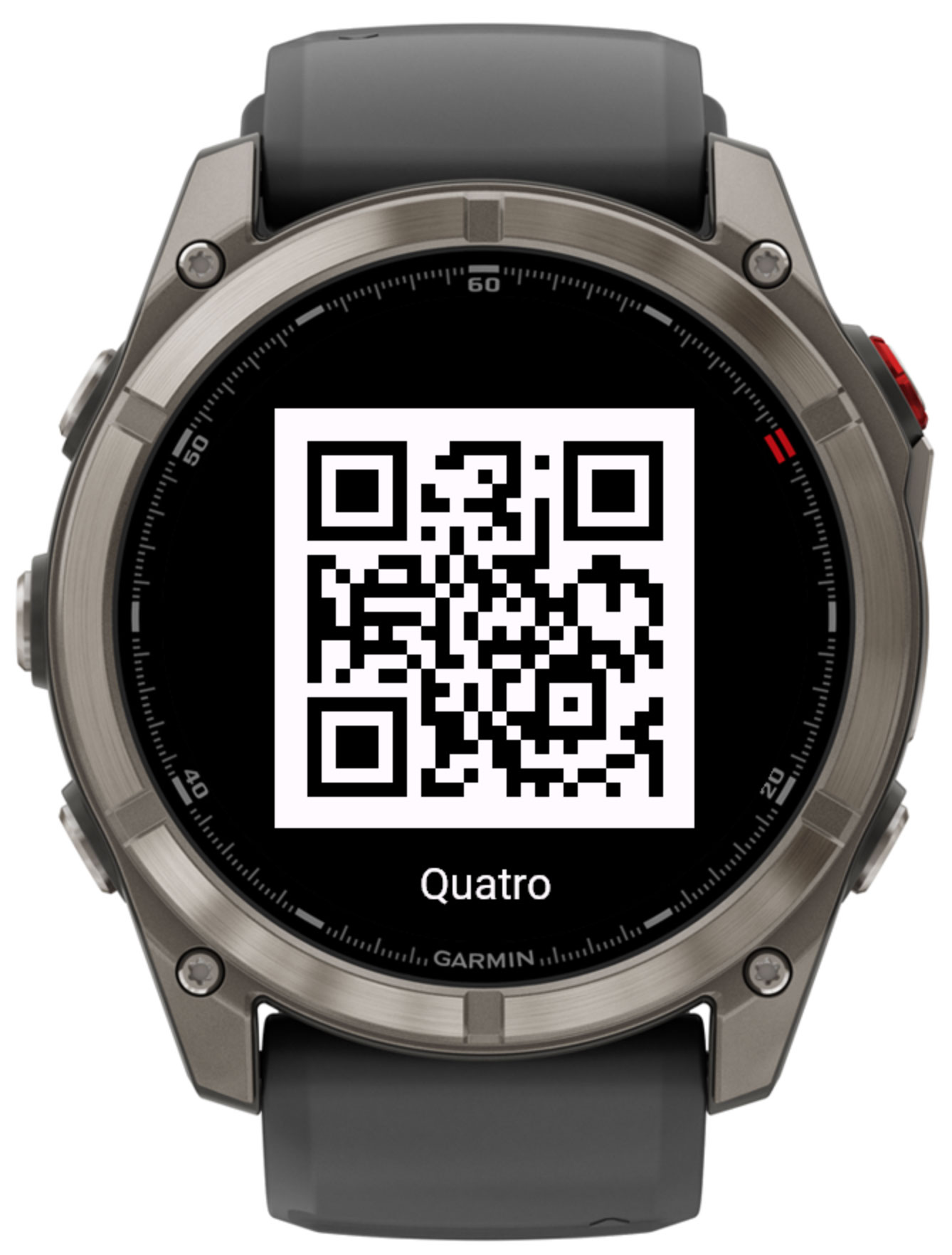
Accessible from the app's settings menu. Scan the QR code with your phone to open this page, where you can find support information and purchase an unlock code.
Buy the unlock code
Unlock code
Quatro uses an unlock code to verify your purchase. To enter or view your code:
- Open Garmin Connect IQ on your phone.
- Navigate to My device → Apps → Quatro → Settings.
- Enter your code in the 🔑 Unlock code field.
- The Verification status field updates automatically once the watch has an internet connection.
You can also manage settings via Garmin Express on your desktop computer.
Verification happens automatically in the background every few minutes when the device has an internet connection (via paired phone or Wi-Fi).